Jackrabbit Activity Calendar
Company
Jackrabbit Technologies
Tools
Figma, Figjam, Miro, Great Question
Role
Owner
Deliverables
End-to-end calendar redesign (desktop + mobile)
Reusable design-system components
Dev-ready handoff specs
Usability testing + research synthesis
TL;DR
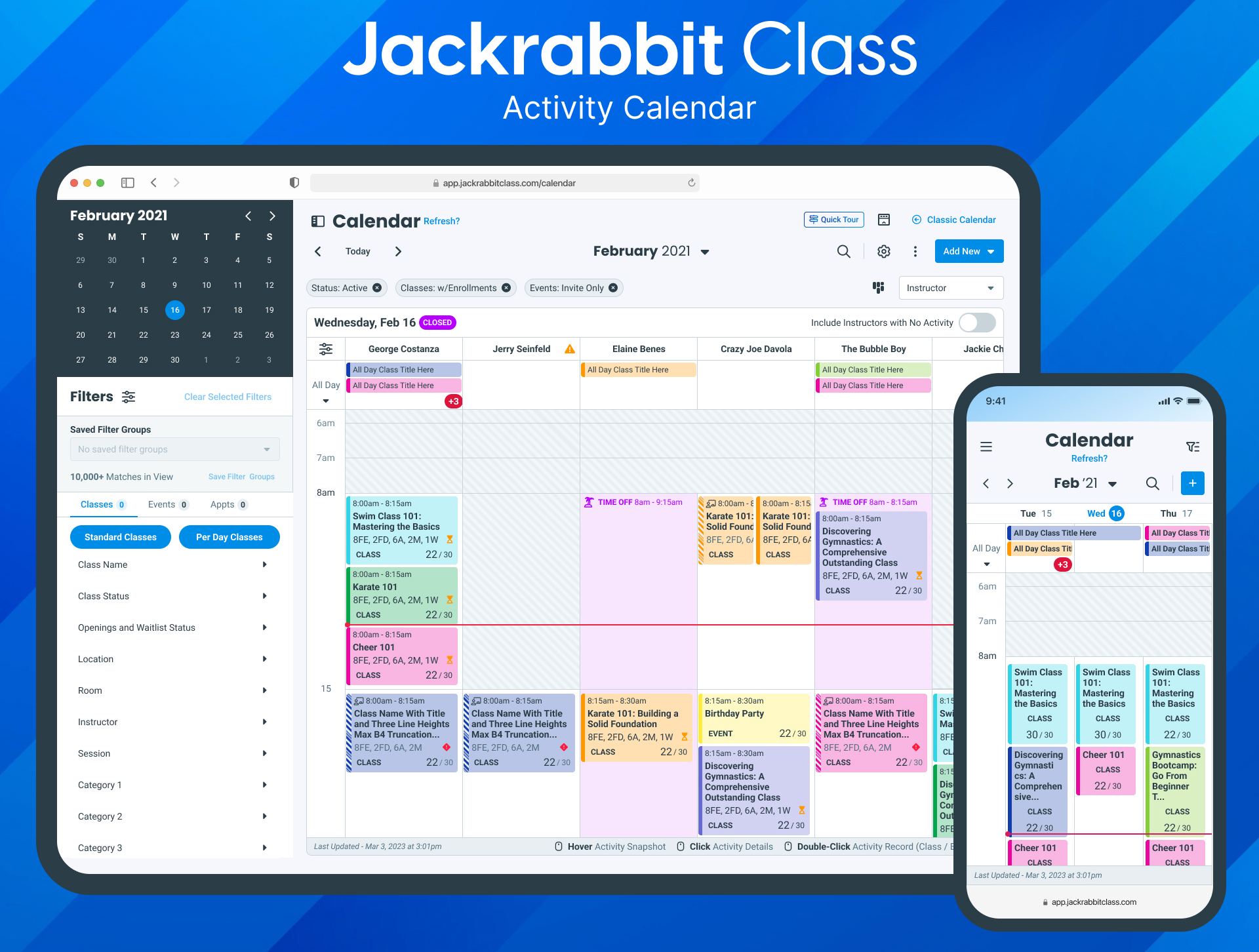
00 - TL;DR
Rebuilding Jackrabbit's most-used feature for scale.
Jackrabbit's most-used calendar was overdue for a rebuild: dated tech, no mobile support, no room to scale.
Challenge
Approach
Unify classes, events, and appointments into one modern, responsive calendar built to scale.
My Process
A design-thinking process from audit through rollout, grounded in user testing.
Result
30% faster task completion, +45% mobile engagement, 38% fewer support tickets.
01 - The Problem
A legacy calendar that couldn't keep up.
The legacy calendar within Jackrabbit’s platform had become a significant bottleneck for both users and internal teams.
Structural problems in the legacy calendar.
Each one rooted into a framework we couldn't build on.


Legacy Framework
The legacy calendar was built on a dated framework, making updates and enhancements slow, fragile, and costly from a development perspective.
Lack of Responsiveness
The calendar was not mobile responsive, creating a poor experience for users accessing it on tablets and smartphones, leading to misclicks and incomplete actions.
No Room to Scale
The interface lacked scalability and flexibility, making it difficult to adapt to growing feature requirements and user expectations.
Limited User Satisfaction
Limited user satisfaction and rising feedback around calendar frustration signaled a clear need for a reimagined, modern solution.
Framework
Devices
Scale
Sentiment


02 - The Opportunity
One calendar for classes, events, and appointments.
One calendar instead of three disconnected scheduling types. The opportunity was to unify classes, events, and appointments into a single, responsive experience that worked on any device.


What success needed to look like.
Vision
Before designing, we set clear targets for what a successful calendar redesign needed to achieve.
70% + Users
React positively to the updated interface during usability testing and beta testing.
Goals
40% Increase
Boosted
in mobile usage of the calendar.
Load time improvement of activities within calendar.
03 - Goals
Calendar Design Process
Designing the new calendar followed a structured, iterative process, from early user understanding through to release.


04 - The Process
From audit to final design.
1. Site Audit
I audited every entry point to the legacy calendar, documenting UI inconsistencies, usability pain points, and technical limitations.
With a clearer understanding of user struggles, I mapped revised task flows for the core actions, adding a class, scheduling an event, booking an appointment, to reimagine the calendar as one unified experience with fewer steps.
I turned the task flows into low-fidelity wireframes to test layout, component hierarchy, and interactions before committing to visual design.
The final UI brought clarity and scalability to the calendar, reusable components, a responsive layout, and a clean hierarchy, so users can manage classes, events, and appointments in one place across any device.


2. Task Flow Creation


3. Wireframing


4. Final Design
05 - Execution
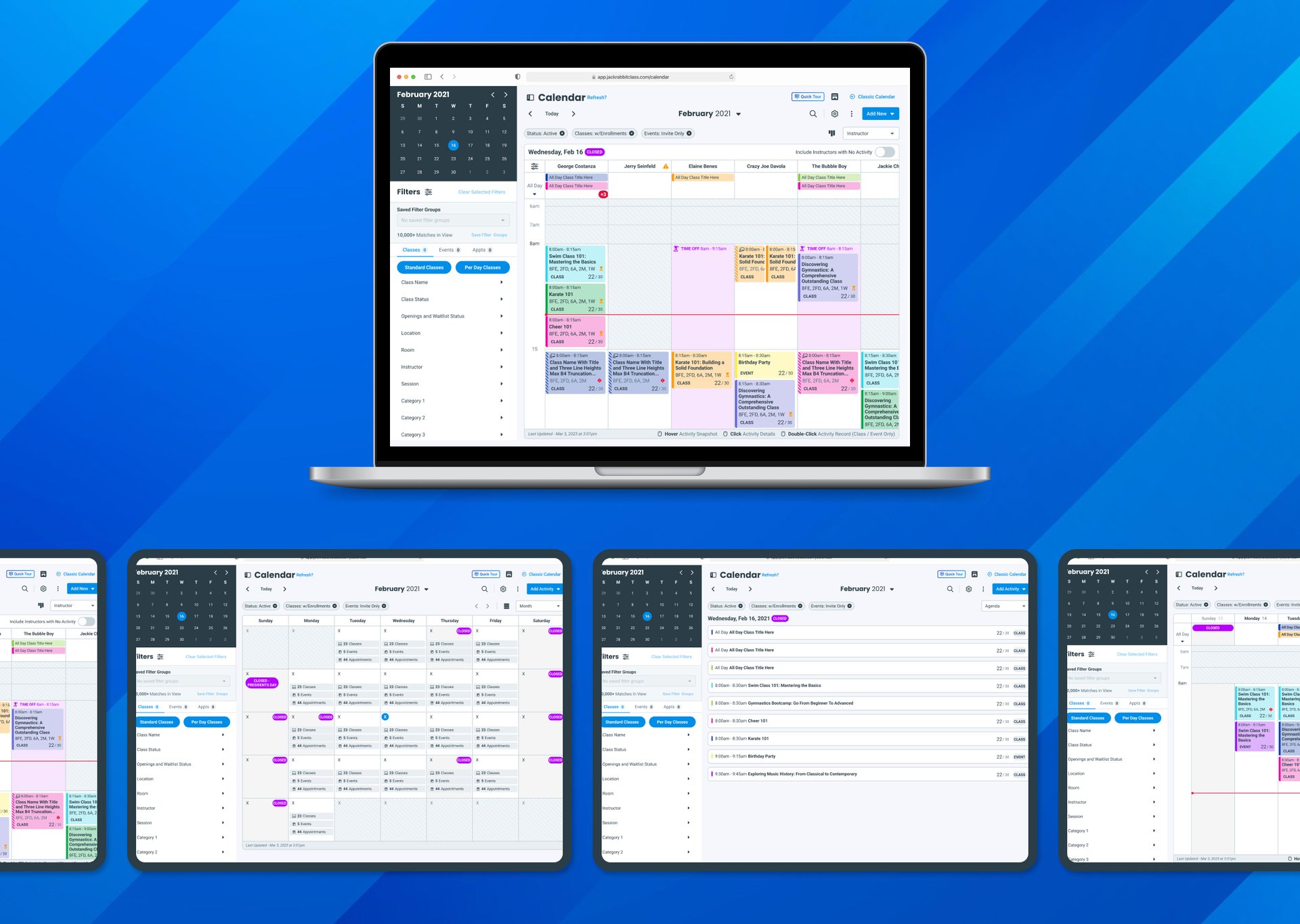
06 - Impact
A faster, clearer, more scalable calendar.
30%
Faster Task Completion
in moderated usability sessions
+45%
Mobile Engagement
from responsive layouts
−38%
Calendar Support Tickets
fewer support requests
Efficiency
Mobile
sUPPORT
Iterative usability testing on prototypes shaped the product throughout, through qualitative feedback and observed task performance.
TESTING
Internally, the modular design-system approach cut design and development time for future enhancements.
07 - Reflection
The calendar didn't just look better. It worked fundamentally differently.
Aligning with the broader design system built a foundation that can evolve as Jackrabbit grows.
Design for Scale


Constraints shaped decisions
Working with development constraints early made for a smoother implementation.

Collaboration was Key
Cross-functional partnership turned a complex feature into one intuitive experience.